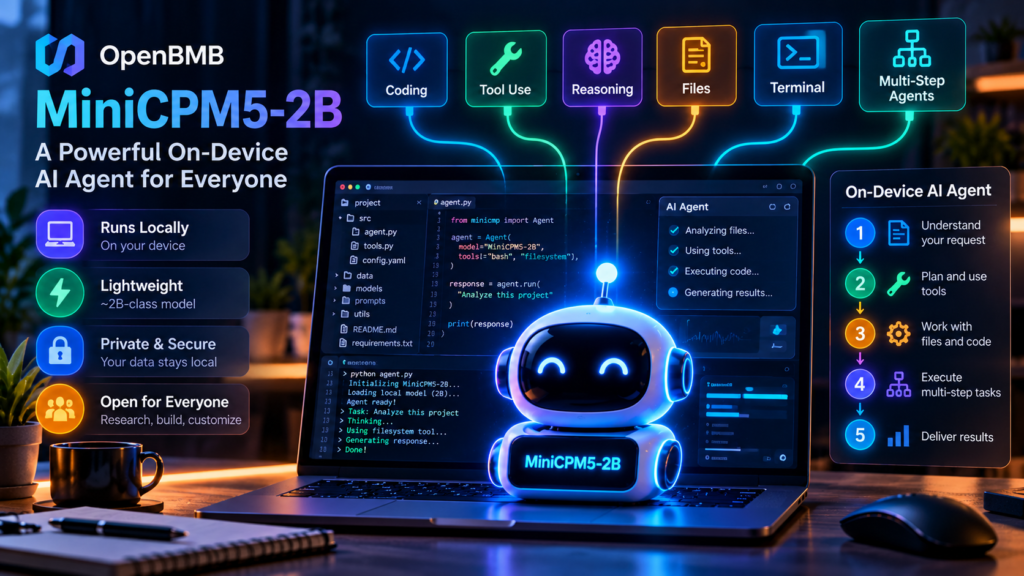
MiniCPM5-2B is one of the more practical small models to try if you want a local agent on ordinary hardware. OpenBMB ships GGUF and MLX builds and ready-made guides for Ollama and LM Studio, which lowers the bar a lot. I haven’t been able to run it myself yet, so I’d treat the vendor’s benchmark claims as a reason to test it, not as proof. Expect it to handle simple tool calls and coding help well enough to be useful, and don’t expect it to replace a frontier model on hard reasoning.
Run it locally: whether the local runners you’d use for a small model like this are still maintained is tracked live on our dashboard, for example Ollama and llama.cpp, which are also compared side by side.
The one time I ran models locally, with LM Studio, it was slow on my computer. That’s the problem small models like this one are meant to solve, and it’s why I’d want to see MiniCPM5-2B tested on ordinary laptops, not just on benchmark machines.
MiniCPM5-2B at a Glance
| Maker | OpenBMB |
|---|---|
| Released | 7 September 2026 (per the official README) |
| Size | About 2.5B total parameters, about 2B non-embedding; 42 layers, grouped-query attention, Llama-style architecture |
| Context window | 131,072 tokens |
| Input | Text only |
| Formats | BF16, GGUF, MLX 4-bit, GPTQ 4-bit, LiteRT-LM for mobile, plus the DSpark speculative-decoding draft model |
| Runs with | Transformers, llama.cpp, Ollama, LM Studio, vLLM, SGLang, MLX |
| Licence | Apache 2.0 for the code (repository LICENSE); secondary sources say the weights are Apache 2.0 too, so confirm on the model card |
Why It Got Attention
Avi Chawla posted a demo on X in which he ran MiniCPM5-2B entirely locally behind a small investigation agent and asked it to analyse a revenue drop, quantify the impact, identify a likely cause and write an incident report with evidence. That’s harder than chat: the model has to keep state across steps, decide when to call tools, read the results and assemble a coherent answer. Those are exactly the skills small models have historically lacked, and OpenBMB says it trained this one for them, using reinforcement learning and on-policy distillation, and it released the training datasets as well.
Tool Calling Is the Feature to Watch
For a local agent, reliable tool calling matters more than chat quality. If a small model can pick a function, format its arguments, read the result and keep going, it can coordinate a bigger system instead of having to know everything itself. OpenBMB recommends SGLang for function calling, where the model’s XML-style calls are parsed into OpenAI-compatible tool calls, so it plugs into existing agent code.
Benchmarks: What They Say and Don’t
OpenBMB reports an average of 53.9 across 34 benchmarks, ahead of the 51.1 it lists for the 4B-class Qwen3.5-4B, with strong maths scores such as 86.5 on both AIME 2025 and AIME 2026 and 94.6 on MATH-500. These are vendor-reported numbers on OpenBMB’s chosen set. One summary says Artificial Analysis’s independent index broadly backs the claim “with asterisks”, but I didn’t read that analysis, so check it before relying on the ranking.
One Developer’s Local Test
One developer’s published test, summarised in my own words. We did not repeat it.
The Micdrop project, which builds real-time voice conversations with AI, used MiniCPM5-2B as the agent behind a local voice call and compared it with Qwen3 4B Instruct on the same machine and prompt.
| Measure (English) | MiniCPM5-2B | Qwen3 4B Instruct |
|---|---|---|
| Memory | 1.6 GB | 2.5 GB |
| First token | ~60 ms | ~100 ms |
| Whole turn | 340–820 ms | 820–1,420 ms |
| Called the noise-filter tool on a meaningless “uh” | 1 of 9 runs | Every run |
| Simple get-the-time tool | Correct | Correct |
It was faster and lighter but weaker on judgment, and it ignored an end-of-call tool on a goodbye. Two other findings matter for anyone building with it: the model reasons before answering unless you switch that off (a short greeting took 700 to 1,500 ms with reasoning on and about 180 ms off), and in French it mixed languages and invented words, and one prompt line stopped its tool calls entirely. The author links that to training on English and Chinese. Micdrop recommends it for English calls on low-memory machines and keeps Qwen3 4B as its default otherwise.
What We Checked in OpenBMB’s Repository
Method: on 15 October 2026 we cloned OpenBMB’s official MiniCPM repository from GitHub and read its README, licence file, deployment folders and commit history. We tried to download the weights to run them on a CPU, but our test environment blocks Hugging Face, so we have not run MiniCPM5-2B and have no speed or quality results of our own.
| What we checked | What we found |
|---|---|
| Release dates in the README | MiniCPM5-2B on 7 September 2026; MiniCPM5-1B on 19 May 2026 |
| Code licence | Apache 2.0 (repository LICENSE file) |
| Published variants | 8 for MiniCPM5-2B: main, SFT, Midtrain, Base, GGUF, MLX, GPTQ and DSpark, on Hugging Face and ModelScope |
| Deployment guides | “Agent Skills” folders for llama.cpp, Ollama, LM Studio, MLX, vLLM, vLLM-Ascend, SGLang, Transformers, LiteRT and Arclight |
| Fine-tuning guides | LLaMA-Factory, ms-swift, TRL, Unsloth, XTuner and GGUF LoRA |
| Recent activity | 29 commits in the 90 days to 15 October; last commit 21 September 2026 (fine-tuning docs) |
Two practical points. The GGUF and MLX builds plus the Ollama and LM Studio guides mean a non-specialist can realistically run it on a laptop without code. And a 12 September commit changed the recommended sampling parameters “to prevent repetitive outputs”, so if you tried it in its first week and saw it loop, re-check your settings before judging it.
Download Sizes and Memory
GGUF files run from about 1 GB at the smallest quantisation to 5 GB at full precision; Q4_K_M is about 1.56 GB and Q8_0 about 2.68 GB. Third-party estimates put memory at roughly 2.4 GB for Q4, 3.7 GB for Q8 and 6.3 GB for BF16 with an 8K context. Longer contexts need more, and real use varies by runtime.
When I’d Use It, and When I Wouldn’t
| Good fit | Poor fit |
|---|---|
| Private local helpers for code, logs or documents | Hard multi-step reasoning where accuracy matters most |
| Routine tool calls in an English-language agent loop | Languages other than English and Chinese |
| Low-memory laptops and edge devices | Tasks needing images or audio input |
| A first-pass router that escalates hard cases to a bigger cloud model | Anything where a missed tool call is costly, without a check |
The main reasons to go local are privacy (data stays on your machine if your tools are local too), no per-token bill for long agent loops, and working offline. If you run it, record your hardware, quantisation, tokens per second and memory; those vary far more by machine than vendor charts suggest.
FAQ
Can MiniCPM5-2B run on a laptop?
Yes, according to OpenBMB’s guides and third-party sizes: the Q4 GGUF build is about 1.6 GB on disk and needs roughly 2.4 GB of memory at an 8K context.
Does it support tool calling?
Yes. OpenBMB recommends SGLang, which converts its calls into OpenAI-compatible format. One developer’s test found it reliable on simple tools but weaker at deciding when to call one.
Is it free for commercial use?
The repository code is Apache 2.0, and secondary sources report the same for the weights. Confirm on the model card before shipping a product.
Related: AI agent architecture · AI agent infrastructure · Open-weight models compared · Hybrid search for RAG: our test · Which local LLM tools are still maintained