
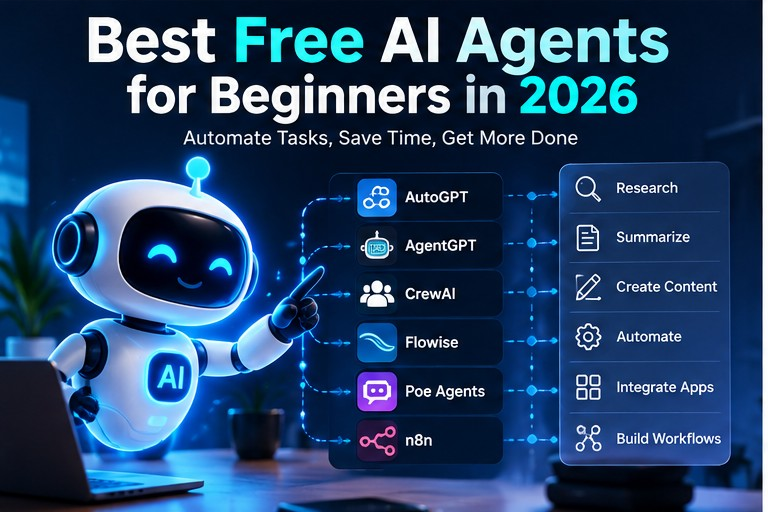
If you’re new to AI agents and don’t want to spend money yet, here’s my honest advice: don’t start with the most powerful builder. Start with the one you can finish a small project in this weekend, and that will still be maintained next year. For most people that means a free chat assistant first, then either n8n or Dify. And one tool that still appears on a lot of “best free” lists, Flowise, is one I’d now skip entirely.
Live tracker: the maintenance status of each tool here updates automatically on our pages for n8n, Dify, Langflow and Flowise, each with a 0 to 100 health score. You can also see n8n and Dify side by side, and n8n Cloud’s current price in the subscriptions table.
Where I stand: I haven’t used n8n, Dify or Langflow myself yet. This guide is built from their official documentation and our own check of their GitHub repositories, so read it as a researched starting point, not a hands-on review.
The reason so many beginners get stuck is that “free” means three different things in this market: free software you host yourself, a free trial with credits, and a free tier with rate limits. They lead to very different weekends. Below I separate them, tell you what each tool really costs, and say which one I’d pick for which job.
A note on method: I haven’t run long hands-on projects in every tool here. The prices come from official pages (dated in the sources), the maintenance figures come from my own check of each project’s GitHub repository, and where I mention other people’s experience, I name them.
My Short List
- Start here, no setup: a free chat assistant (ChatGPT, Claude or Gemini). Use it to practise turning a goal into steps, which is the core skill behind every agent.
- Best free sandbox for models and tool use: Google AI Studio.
- Best free builder if you’ll self-host: n8n Community Edition. My first choice for anyone who wants an agent that touches real apps.
- Best for a chatbot over your own documents: Dify. My first choice for non-technical readers, but not on its cloud sandbox for long.
- Best if you know some Python: Langflow.
- Skip: Flowise. It was archived in August 2026 and no longer gets security fixes.
First, What Counts as an AI Agent?
A chatbot answers a prompt. An agent works toward a goal: it plans steps, calls tools such as search, spreadsheets, email or APIs, and decides what to do next based on what comes back. That extra power is exactly why beginners should start with tasks that are read-only or easy to undo.
Be realistic about what free builders produce. Most of them give you a guided workflow with an AI step in the middle, not a fully autonomous worker that logs into your accounts and finishes long jobs alone. That’s not a weakness. For answering questions or sorting requests, a guided workflow is usually the safer design anyway.
The Three Kinds of “Free”
- Free software, paid infrastructure. n8n, Dify and Langflow cost nothing to license if you host them, but you pay for the server, your time for updates and backups, and the AI model calls.
- Free cloud sandbox. A small capped plan for trying the product. Dify’s Sandbox is the clearest example.
- Free usage with limits. Google AI Studio and the Gemini API free tier cost nothing, but come with rate limits and data terms you should read before pasting anything private.
The Tools Side by Side
| Tool | What’s free | What you may still pay for | Best for | Difficulty |
|---|---|---|---|---|
| ChatGPT / Claude / Gemini (free plans) | Basic chat access | Higher limits and agent features on paid plans | Learning to plan tasks | Low |
| Google AI Studio | Studio use; Gemini API free tier (rate-limited) | Higher limits and paid-tier features | Experimenting with models, prompts and tools | Low to medium |
| n8n | Self-hosted Community Edition | A server; model API calls; cloud plans are paid (trial only) | Automating real apps | Medium |
| Dify | Cloud Sandbox (200 message credits); self-hosted Community Edition | Cloud plans from $59 per workspace per month; model API calls when self-hosting | Assistants that answer from your documents | Medium |
| Langflow | Open-source software (MIT licence) | Hosting, model API calls, a vector database | Python-friendly visual building | Medium to high |
| Flowise | Archived code only | Not recommended | Existing users who need to migrate | n/a |
Are These Tools Still Maintained? I Checked
Method: on 15 October 2026 we cloned each project’s public GitHub repository and counted activity over the previous 90 days, plus the services in each project’s default Docker setup. Full method and caveats are in which AI agent frameworks are still maintained.
| Tool | Last commit | Commits, last 90 days | Services in default Docker setup |
|---|---|---|---|
| n8n | 15 Oct 2026 | 3,751 | 6 |
| Dify | 15 Oct 2026 | 2,428 | 16 |
| Langflow | 13 Oct 2026 | 966 | 2 |
| Flowise | 13 Aug 2026 | 18 | 1 (archived) |
For a beginner, this table matters more than any feature list. Three of the four are clearly alive. And the last column matters for beginners: Langflow is the lightest maintained builder to self-host, while Dify gives you the most out of the box but sixteen containers to look after. If you’ve never run a server, that’s a real difference.
n8n: My Pick for Automating Real Apps
n8n connects apps and AI models into workflows, for example: “when a new row appears in my spreadsheet, classify it, then send me a summary.” If your goal is an agent that actually does something in your tools, this is where I’d start.
The catch: “free” means you run it. You’ll need a machine that stays on, plus time for updates and backups. n8n’s cloud plans are paid, with a trial rather than a permanent free plan; independent summaries of n8n’s pricing page put the Starter plan at about €20 a month on annual billing for 2,500 executions, so check the official page before you rely on that. The Community Edition is also source-available under n8n’s Sustainable Use License, not a standard open-source licence, which matters if you plan to resell what you build.
Who it’s for: people willing to do a little setup to get an agent that touches real tools. Who should skip it: anyone who wants zero setup this weekend.
A sensible first build in n8n
This is a pattern, not a click-by-click walkthrough, because menus change between versions. Follow n8n’s AI documentation for the exact steps.
- Run n8n on your computer or a small server. Docker is the usual route.
- Start the workflow with a chat trigger so you can test it in a chat window.
- Add an AI Agent node and connect a model. A Gemini API key from Google AI Studio’s free tier is a cheap way to begin.
- Write a short system prompt: what the agent is for, its tone, and what it must refuse.
- Give it one small, non-sensitive document so it answers from facts, not guesses.
- Test it with 10 realistic questions, including three it should decline.
- Keep a human approval step before anything is sent or changed.
Dify: My Pick for Non-Technical Readers
Dify lets you build chatbots and assistants that answer from your own documents in a visual editor, and it’s the most approachable of the self-hostable tools for people who don’t code. According to Dify’s pricing page, the free Sandbox includes 200 message credits with no credit card, Professional costs $59 per workspace per month and Team $159.
My advice: treat the Sandbox as a trial, not a home. Credits are used per model response, and 200 goes quickly once you start testing properly. After that, either bring your own model API key or self-host the Community Edition, keeping in mind the sixteen services it starts by default and the minimum of 2 CPU cores and 4 GiB of RAM reported in an independent October 2026 comparison. Also read the licence: it’s a modified Apache 2.0 with conditions on running a multi-tenant service and removing branding.
Who it’s for: a small knowledge assistant over your own documents. Who should skip it: anyone hoping to run something long-term on the free cloud plan.
Langflow: For People Who Know Some Python
Langflow is an open-source visual builder under the MIT licence, where each component is a Python class you can open and edit. That makes it the best of the group for understanding how agents work under the hood. The software is free; hosting, model calls and a vector database are not. Reports on its hosted cloud offering disagree, so I’d plan to self-host. With two services in its default Docker setup and nearly a thousand commits in the last 90 days, it’s light to run and clearly maintained.
Who it’s for: learners who want control. Who should skip it: absolute beginners who want one-click setup.
Google AI Studio: The Best Free Playground
Google says AI Studio usage is free of charge in supported regions, and the Gemini API has a rate-limited free tier for testing. For a beginner, it’s the simplest free place to try prompts, document grounding and basic tool calls without paying anything. Two things to know: limits are shown per project in the AI Studio console rather than in a fixed public table, and free-tier requests may be used to improve Google’s products. Never paste private or client data into it.
Free Chat Assistants: Underrated as a First Step
ChatGPT, Claude and Gemini free plans are enough to practise the single most important agent skill: breaking a goal into clear steps with a definition of done. People tend to skip this and go straight to builders, then wonder why their agent wanders. Which agent features each free plan includes changes often, so check the provider’s plan page rather than trusting any list, including this one.
Why I’d Skip Flowise Now
Flowise was a beginner favourite for a long time, which is why older lists still recommend it. In 2026 the team announced a wind-down in its own announcement: a code freeze on 29 July, repository archival and end of core-team support by 31 August. The repository’s README now opens with “Flowise has been archived”, and the last commit I found was on 13 August. One review reports the hosted cloud closing on 30 November 2026.
The code is still on GitHub under Apache 2.0, but an agent platform that holds API keys and gets no security fixes is not something I’d hand a beginner. If you already run Flowise, export your flows, keep it off the public internet and plan a move to Dify or n8n.
Where “Free” Stops Working
- Sandboxes run out. Dify’s 200 credits are a total, not a monthly allowance.
- API limits change, and Google says they’re tighter for preview models.
- Self-hosting costs time, for updates, backups and security.
- Real users need a real plan. Before customers or private data are involved, budget for a paid tier or a properly maintained server.
Which One Should You Choose?
| If you… | I’d start with |
|---|---|
| Have never built anything | A free chat assistant, then Google AI Studio |
| Want to automate spreadsheets, forms or messages | n8n, self-hosted |
| Want a chatbot that answers from your documents | Dify |
| Know basic Python and want control | Langflow |
| Want a structured course before building | Microsoft’s free “AI Agents for Beginners” course or Hugging Face’s free agents course |
A Ten-Question Test Worth Doing
This is a test you can run, not a result I’m reporting. Collect five non-sensitive documents and build an assistant in Dify or Google AI Studio that must answer only from them. Ask ten questions: seven the documents can answer and three they can’t. Count correct, cited answers and count how often it invents something instead of declining. Then repeat with a different model.
I’d trust an agent that gets six right and politely refuses three far more than one that answers all ten confidently. That one number tells you more than any feature comparison.
Safety Rules for Your First Agent
- Start with read-only or reversible actions.
- Use test data, never private, financial or client data.
- Require human approval before anything is sent, deleted or changed.
- Set usage limits and keep logs.
- Don’t give an early agent broad access to your email, bank or production systems.
For the longer version, see my guide to AI agent safety.
What Other Practitioners Report
These are other writers’ published experiences, summarised in my words. I haven’t repeated or verified them.
- Lilach Bullock, an AI consultant, describes building an n8n chat agent in January 2026 for a small conveyancing firm. The build took an afternoon; the hard part was the client expecting the agent to know things nobody had given it. Her lesson, which I agree with: an agent only knows what you provide, and gaps become confident invented answers.
- Jahanzaib Ahmed, in his comparison of Flowise, Dify and n8n, says the deciding question across more than 30 client deployments was who would operate the agent afterwards. He chose Dify for a 40-person team with three technical staff, and n8n for a lead-scoring workflow touching five outside systems that took about two days to build.
FAQ
Is there a completely free AI agent?
Some are free to use with limits, and some are free software you host yourself. None stay free once you add hosting or real model usage.
Do I need to code?
Not to start. Chat assistants, Dify and n8n all work visually. Langflow is easier if you know some Python.
Is n8n really free?
The self-hosted Community Edition has no licence fee and no vendor execution limit, but you pay for the server and model calls.
Should I use Flowise?
Not for anything new. It’s archived. Use it only to keep an existing setup running while you migrate.
Can a free agent handle real customers?
Only at very low volume. Free plans cap credits or requests, so a busy chatbot will hit the limit quickly.
My Recommendation
If I were starting this weekend with no budget, I’d spend an evening with a free chat assistant learning to write a clear task brief, a day in Google AI Studio grounding a model in a few documents, and then pick one builder: n8n if I wanted to automate my own apps, Dify if I wanted a document assistant without touching code. I wouldn’t touch Flowise, and I wouldn’t connect anything private until the ten-question test above came back clean.
Free is a good place to learn. It’s rarely a good place to stay.
Related on EvalAITools: Which agent frameworks are still maintained · AI agent infrastructure explained · AI tool pricing compared
More from EvalAITools: Which local LLM tools are still maintained · Which RAG tools are still maintained · AI tool pricing compared
Sources (checked 12 to 15 October 2026)
- Dify Cloud pricing
- Google Gemini API billing and free tier
- Flowise, “The Future of Flowise” announcement
- n8n pricing summary quoting the official page
- Flowise wind-down review (PromptQuorum)
- Flowise, Dify and n8n comparison, October 2026 (Jahanzaib Ahmed)
- GitHub repositories of n8n, Dify, Langflow and Flowise, checked 15 October 2026

1 comment